
The short version: While phone-based AI basketball coaches are highly accessible and excellent for tracking volume, consistency, and macro-level mechanics (like high-level release timing and major posture breaks), a single 2D camera cannot bypass the laws of physics. True improvement comes from understanding the technical limits of mobile computer vision—such as perspective distortion and occlusion—and focusing on trend-based feedback rather than decimal-point precision.
Key takeaways
- 2D to 3D Translation: Single-camera apps use advanced machine learning models to estimate 3D body coordinates, but they are subject to perspective distortion.
- The Occlusion Barrier: When your body blocks the camera's line of sight to the ball or your joints, the AI must guess, leading to potential tracking errors.
- Macro vs. Micro Mechanics: AI excels at tracking shot volume, release consistency, and major posture breaks, but cannot accurately measure micro-adjustments like finger pressure.
- Setup is Everything: Camera height, angle, and lighting conditions directly dictate the accuracy of the pose estimation data.
- Avoid False Precision: Treat exact joint angle readouts (e.g., "89.4 degrees") as general trends rather than absolute, scientific truths.
How a Single Flat Phone Camera Tracks a Complex 3D Shot
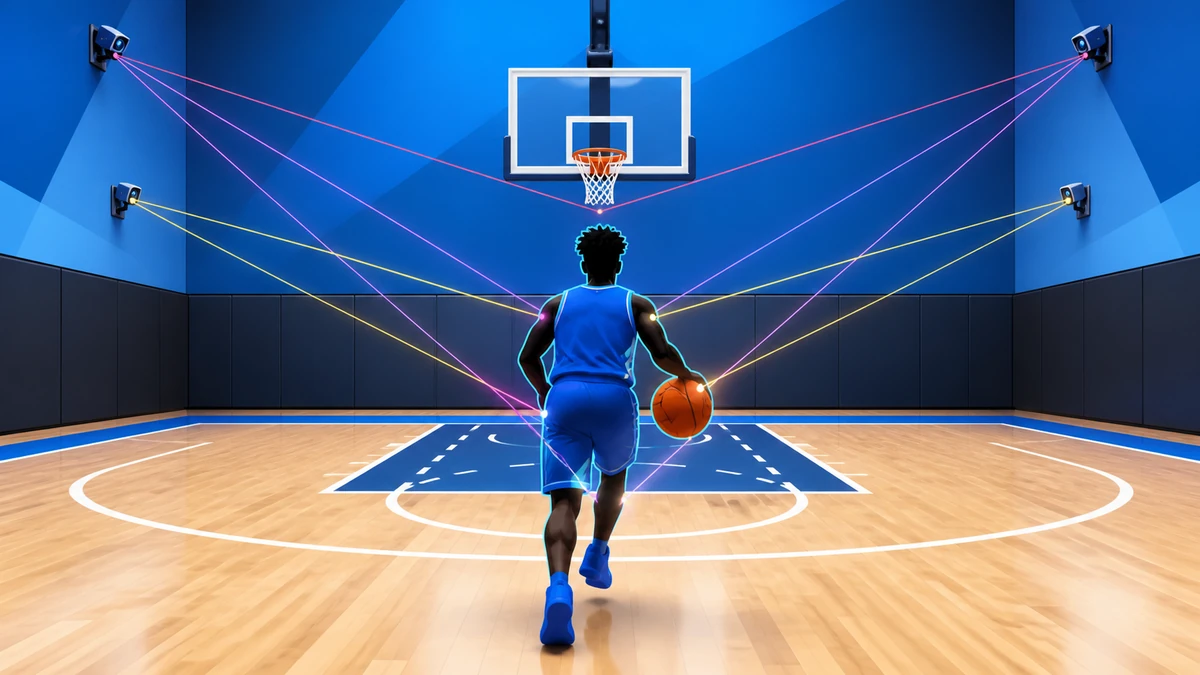
To understand how a smartphone can analyze a jump shot, we have to look at how computer vision translates flat pixels into spatial movement. When you record a shot, the app does not actually "see" you in 3D. Instead, it processes a sequence of flat, two-dimensional image frames. To bridge this gap, modern mobile frameworks rely on highly optimized neural networks designed to run directly on consumer hardware.
For example, Google's MediaPipe Pose Landmarker is a widely used technology that can identify key body locations, analyze posture, and categorize movements using machine learning models. By running these models locally on your phone's graphics processor, apps can analyze your movement frame-by-frame without needing to send your video to an external server. However, because a standard phone camera lacks depth-sensing hardware like LiDAR over long distances, the software must infer the third dimension (depth) using statistical probabilities learned from training on thousands of human movement videos.
What is Pose Estimation and How Does It Calculate Joint Angles?
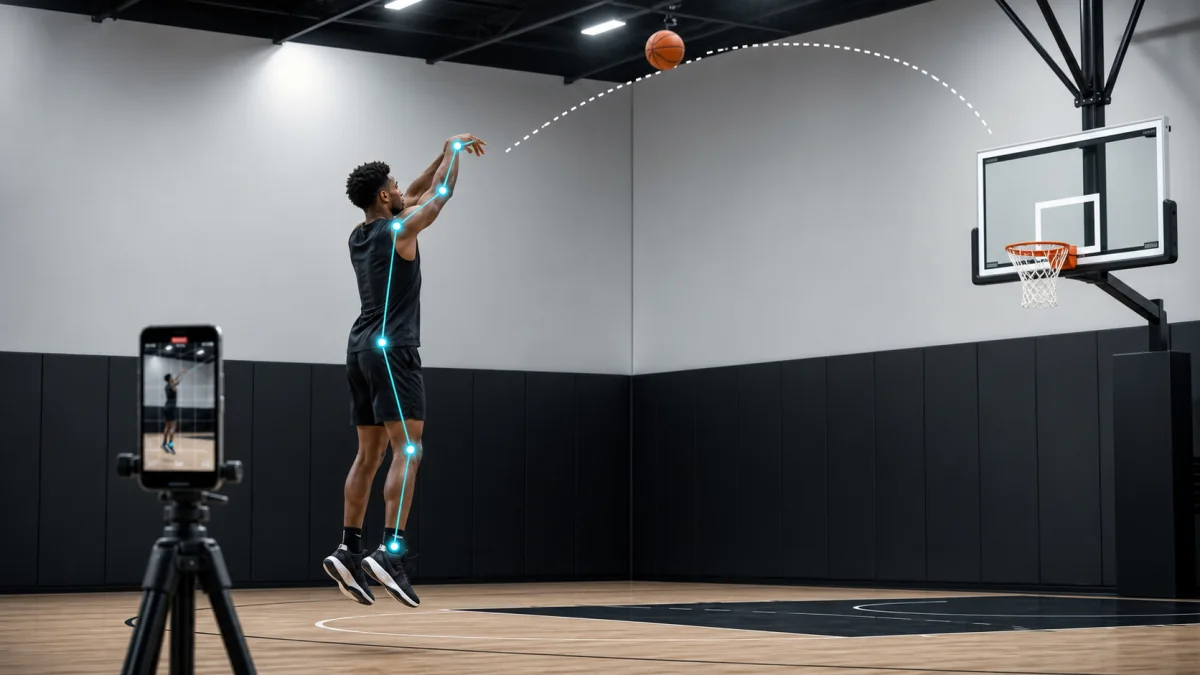
At the heart of any AI basketball coach is a technology called pose estimation. This is the process of detecting human figures in images and video, and identifying key anatomical points. The MediaPipe Pose Landmarker model tracks 33 body landmark locations, including major joints such as the shoulders, elbows, wrists, hips, knees, and ankles. This model bundle uses a convolutional neural network similar to MobileNetV2 optimized for real-time fitness applications, allowing it to run efficiently on mobile devices.
Once these 33 landmarks are identified, the software calculates the geometric angles between them. For instance, to calculate your elbow bend, the AI measures the angle formed by the vectors connecting your shoulder landmark to your elbow, and your elbow to your wrist. The Pose Landmarker task outputs body pose landmarks in both image coordinates and 3-dimensional world coordinates. This allows the software to estimate whether your elbow is tucked or flared, even if you are not standing perfectly square to the camera lens.
Simultaneous Tracking: Body, Ball, and Rim
Tracking a basketball shot requires the AI to solve two distinct computer vision problems at the same time: human pose estimation and object tracking. To keep up with the speed of a live shot, the software must run multiple models in parallel or use a single, highly optimized multi-task network. The Pose Landmarker task supports three running modes: single image inputs, decoded video frames, and live streams, which developers leverage to synchronize body movements with the flight of the ball.
While the pose estimator tracks your joints, a separate object detection model tracks the basketball's circular silhouette and the orange rim. By calculating the relative distance between your wrist landmark and the ball, the AI determines the exact frame of release. The evolution of these spatial tracking systems has caught the attention of professional leagues; for instance, the NBA Launchpad program selected Peripheral Labs to reconstruct live sports into 3D environments with high-fidelity player and ball tracking, showcasing how rapidly this technology is scaling from consumer phones to professional arenas.
The Technical Limits: Occlusion, Lighting, and Clothing
Despite these technological leaps, a single phone camera cannot bypass the laws of physics. The most significant hurdle for mobile AI is occlusion—which occurs when one object blocks another from the camera's line of sight. If you shoot right-handed and the phone is placed on your left side, your head and torso will block the camera's view of your shooting elbow and wrist. When occlusion happens, the AI can no longer see the joint landmarks and must "hallucinate" or guess their positions based on prior frames, leading to a sharp drop in accuracy.
Environmental factors also heavily degrade pose estimation performance:
- Low-Light Environments: On outdoor courts at dusk, camera sensors introduce visual noise. This blur makes it incredibly difficult for neural networks to distinguish the edges of your limbs or the exact boundary of the ball.
- Loose Clothing: Baggy t-shirts and sagging shorts obscure the actual physical joints. The AI must estimate where your knees and hips are based on the drape of the fabric, which frequently results in incorrect joint angle calculations.
- Background Clutter: Busy backgrounds, such as playground crowds, chain-link fences, or trees, can confuse object detectors, causing the app to temporarily lose track of the basketball.
The Importance of Camera Placement and Setup
Because mobile AI relies on 2D perspective to estimate 3D space, where you put your phone dictates the quality of the feedback you receive. If the camera is placed on the ground tilting upward, it creates a severe perspective distortion. This angle makes your legs appear shorter and artificially alters the calculated angles of your hips and knees.
Commercial apps acknowledge these physical constraints in their setup instructions. For example, HomeCourt instructs users to use the front-facing camera for ball handling and agility, and a rear camera with a tripod for advanced shot tracking. Furthermore, HomeCourt claims to require no sensors, special cameras, or smart basketballs, operating entirely on an iPhone or iPad. However, to get reliable data, the device must be positioned at a consistent height (ideally chest-high) and angle to minimize perspective distortion.
Useful Feedback vs. False Precision
When evaluating an AI coaching app, players and parents must distinguish between scientifically useful feedback and "false precision." If an app claims your elbow angle was exactly 89.4 degrees at release, this is an example of false precision. A mobile phone camera recording at 30 or 60 frames per second, processing occluded joints through a generalized neural network, cannot achieve decimal-point physical accuracy.
Instead, the value of these tools lies in tracking macro-level trends and consistency over time. A Wired Magazine review cited by HomeCourt noted that the app helped monitor consistency in release angle, rather than guaranteeing a perfect laboratory-grade measurement. Similarly, HomeCourt claims to calculate shot accuracy, progress over time, and performance metrics such as speed, vertical jump, release time, and ball handling. These macro-metrics are highly valuable for tracking volume and identifying major mechanical breakdowns when you get tired.
| Metric Type | What the AI Sees Accurately | The Limit (False Precision) |
|---|---|---|
| Shot Release Time | General release speed trends (e.g., fast vs. slow release). | Exact millisecond timing, which is limited by the camera's frame rate. |
| Joint Angles | Major posture breaks, such as severe forward lean or flat shot trajectory. | Precise decimal-point angles (e.g., claiming an exact 90-degree bend). |
| Ball Release | High-level release consistency and general launch angle trends. | Micro-mechanics like finger pressure, wrist snap, and ball spin axis. |
What This Means for Players and Coaches
For players, mobile AI apps are incredible tools for accountability, high-volume tracking, and visual self-awareness. They gamify practice, making the repetitive grind of shooting drills more engaging. For coaches, these apps offer a streamlined way to monitor players' remote workouts and track shot volume over a summer training block.
However, these tools should not be viewed as a complete replacement for a qualified human coach. An AI cannot feel the tension in a player's shoulders, understand their psychological state after a missed shot, or detect the subtle finger placement adjustments that prevent a shot from drifting right. Use the technology to track your volume and flag major mechanical inconsistencies, but rely on human expertise to refine the artistry of the shot.
Frequently asked questions
Can a phone camera analyze a basketball shot?
A phone camera can provide video that software uses to estimate movement and identify visible shot events. The usefulness depends on camera angle, image quality, calibration, and model limits, so the result should be treated as feedback rather than certainty.
Can AI replace an in-person basketball coach?
No. AI can make video review more accessible and provide repeatable observations, but it does not share the full context, judgment, communication, and responsibility of a qualified coach. It works best as a supporting tool.
How should players record a shot for AI feedback?
Use a stable view that keeps the player, ball path, and basket visible, with enough light and minimal obstruction. Consistent camera placement makes comparisons more useful, while poor framing can cause the system to miss important movement.